
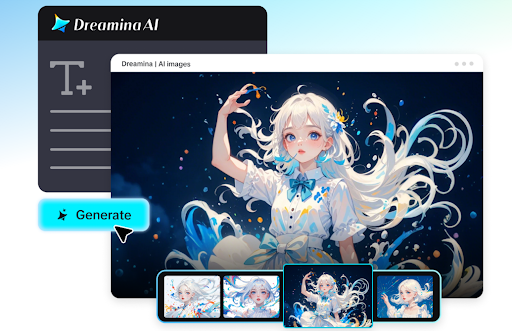
When it comes to graduation, there is plenty to get excited about, but also many tasks that need to be taken care of. One of the highlights of this experience is creating your own graduation announcement that feels unique and visually appealing. While it used to be done with templates, more and more students decide to leverage AI technology to create personalized designs.
The beauty of AI is that with Dreamina, you can create invitations that are not only aesthetically pleasing but also capture the essence of your celebration. In addition, by using a free AI art generator, you will be able to try out multiple styles until you find the one that matches your preferences perfectly.
Let’s see what steps you need to take to create personalized graduation announcements.
Creating unique graduation announcements
A graduation announcement is not just an invitation to celebrate; it is also a reflection of your personality and accomplishments. When designing your graduation announcement, keep in mind that you should create a design that reflects your personality and accomplishments.
Imagine what you would like the design to convey through visual means:
- The image of a self-assured graduate entering the new phase of their life.
- An academic look with all its coziness associated with the abundance of books and campus imagery.
- A striking design with an emphasis on typography and a palette of colors.
The good news is that, thanks to AI tools, there is no need to choose from these three options since you can incorporate all of them into one announcement design.
Another interesting solution may be to create digital stylizations and portraits. An AI avatar generator can help you create the perfect portrait of yourself wearing graduation clothes in whatever pose you wish, without even spending money on a professional photo session.
Mixing design styles for unforgettable invites
AI technology will give you great opportunities to test different themes and try as many options as you wish.
Let’s consider some design directions you could explore.
Classic Elegance
This style implies such elements as gentle colors, serif fonts, and minimalistic layouts.
Modern editorial
Magazine-like compositions with bold typography, overlapping elements, and high contrast.
Artistic collage
Layers with various textures, abstract forms, and visuals that are expressive and unique.
Cinematic effect
Lighting, depth, and compositing that will give your announcement a cinematic feel.
The power of AI design is in its ability to generate multiple versions rapidly and perfect them until all the pieces fall perfectly in place.
From still designs to dynamic visuals
It’s time to bid farewell to plain designs, as many graduates nowadays opt for more sophisticated approaches and create short visual sequences, sharing them online.
Thanks to an AI logo generator, your design can be turned into a branding design generated based on text prompts or an image provided by you. You can choose from various scene changes, layouts of your announcement, or creative interpretations of your initial design concept.
This method suits perfectly those who wish to use:
- Short video for promotion via social media
- Short video for sending invitations to a graduation party
- Preview of your announcement
You are not just creating one visual piece but telling a story.
Dreamina design flow: creating your masterpiece
Step 1: Enter a text prompt
To begin, navigate to Dreamina and visit its create page. Don’t upload anything yet; first, write a prompt in which you describe your desired graduation announcement image. This should include a human figure properly attired, as well as the setting and mood.
For instance, you could describe: Create a determined graduate in a black graduation cap and gown on a university campus path under the setting sun, holding a diploma, golden lighting, elegant background with blurred trees, modern minimalist space for text, cinematic composition, high detail, realistic textures.
Be as descriptive as possible in order to achieve better alignment between the output and your imagination. Consider such elements as lighting, surroundings, facial expression, and general atmosphere.
Step 2: Modify parameters and generate
After creating the prompt, proceed to modifying the parameters. Choose the appropriate model that fits your desired style and select the aspect ratio based on the intended use of the announcement. For social media, a square or vertical ratio is recommended, but horizontal ratios can be applied to printed invitations.
Specify its size and pick a resolution, such as 1k or 2k. A higher resolution will suit you better if you want to print it. Once all the necessary changes have been made, click on Dreamina’s icon to create an image and let the system turn your concept into a visual.
Step 3: Customize and download
Having generated the picture, start fine-tuning it with Dreamina’s tools. Use inpaint to modify any particular area, use expand to enlarge the background, remove unnecessary items using the ‘remove’ tool, and retouch your image to improve its appearance.
This step is when your image starts taking the shape you envisioned at the beginning. The small changes you make at this point will take your image to a whole new level. Once done, click on the Download button to download your finished announcement.
Making your announcement perfect
Now that you have created your design, you should think about some additional actions you need to do to make it look more polished.
For instance:
- Improve image brightness/contrast
- Clarify image edges/textures
- Balance colors to ensure harmony of text/visuals
Such minor changes will help you make your announcement really impressive.
Ideas for making your graduation announcement design personalized
You can make your announcement feel unique by incorporating elements that speak about you.
These include:
- Incorporating symbolism from your major field of study
- Including colors specific to your college/university or those of your choice
- Including backgrounds such as books, gadgets, or other props
- Considering some posing ideas for a confident and celebratory look
By using AI, you will be able to try out all your ideas and pick the best fit.
Mixing creativity and practicality
As much as you may have to let your creative juices flow, your graduation announcement still needs to be clear about some information.
Some things to consider are:
- Making names and dates readable on first impression
- Placing information in appropriate locations
- Avoiding designs that dominate over the message
This way, your design is both practical and aesthetically pleasing.
Designing for print and online distribution
Graduation announcements are now being distributed through many different platforms. With minor modifications, one design can work for all forms of media.
You could make:
- A high-quality version for print
- A square version for your Instagram post
- A tall version for a story or mobile
Using AI makes it easy for you to change the size and adjust your design without compromising its quality.
Bringing it all together with Dreamina
Designing a graduation announcement is no longer complicated. All you need is imagination, some text and Dreamina, and in minutes, you can get an amazing design that will amaze everyone!
From the initial input of your prompt to the final editing of your design, everything becomes easy with Dreamina. Not only are you designing an announcement, but you are designing a piece of art for one of the most important moments in your life.
From minimalistic to artistic designs, with Dreamina, there is no limit to what you can create. In minutes, you have a unique announcement you can share with others.